Loopyloop (Personal project, 2024)
Building a digital toolkit for fiber artists
LoopyLoop was designed as a complete marketplace where fiber artists could buy, sell, and manage their creative projects. This case study highlights two flagship features: the Material Identifier and Pattern Writing Tool.
For a closer look at the rest of the platform,
Features
Two tools designed to make crafting a little easier.
Material Identifier
Finding an exciting project is easy. Knowing exactly what to buy to make it? Not so much.
The Material Identifier lets crafters upload an inspiration image, specify their project details, and generate a materials list with direct purchase links.
Available both within LoopyLoop and as a browser extension, it connects inspiration to the first steps of making.
Material Identifier flow: upload inspiration → enter specifications → generate materials list
Pattern Writing Tool
Writing crochet and knitting patterns involves repetitive terminology and specialized stitch instructions.
The Pattern Writing Tool simplifies this with a slash-command menu, allowing makers to insert stitch terms and instructions in a single click.
Pattern Writing Tool demonstrating slash commands and pattern editing
Context
I watched friends give up on crafting before they even started.
As an avid crocheter, I’d seen friends struggle to turn inspiration into actual projects. Finding ideas was easy; sourcing materials, learning techniques, and navigating multiple platforms wasn’t.
Pinterest offered inspiration, retailers sold supplies, and Etsy connected buyers and sellers. But the journey from inspiration to making remains fragmented.
This inspired me to pitch LoopyLoop to my classmates.


Patterns, tutorials & general guidance

Materials, pre-mades

Pre-mades, patterns
Existing platform landscape
Research
Craft-store visits highlighted the gap between inspiration and materials.
The team visited JOANN and Michaels to observe shoppers and interview employees about how people sourced materials.
Shoppers relied on reference photos to find supplies, often turning to employees who couldn’t always identify or locate what they needed.
These findings reinforced the need to bridge inspiration and material sourcing. But what about the rest of the crafting journey?

A visit to Joann Fabrics
Participatory Workshop
Two approaches to making the same sweater revealed different needs.
To explore what happened beyond purchasing supplies, the team ran a participatory workshop with a simple prompt:
Here’s a sweater. Show us how you’d make it.
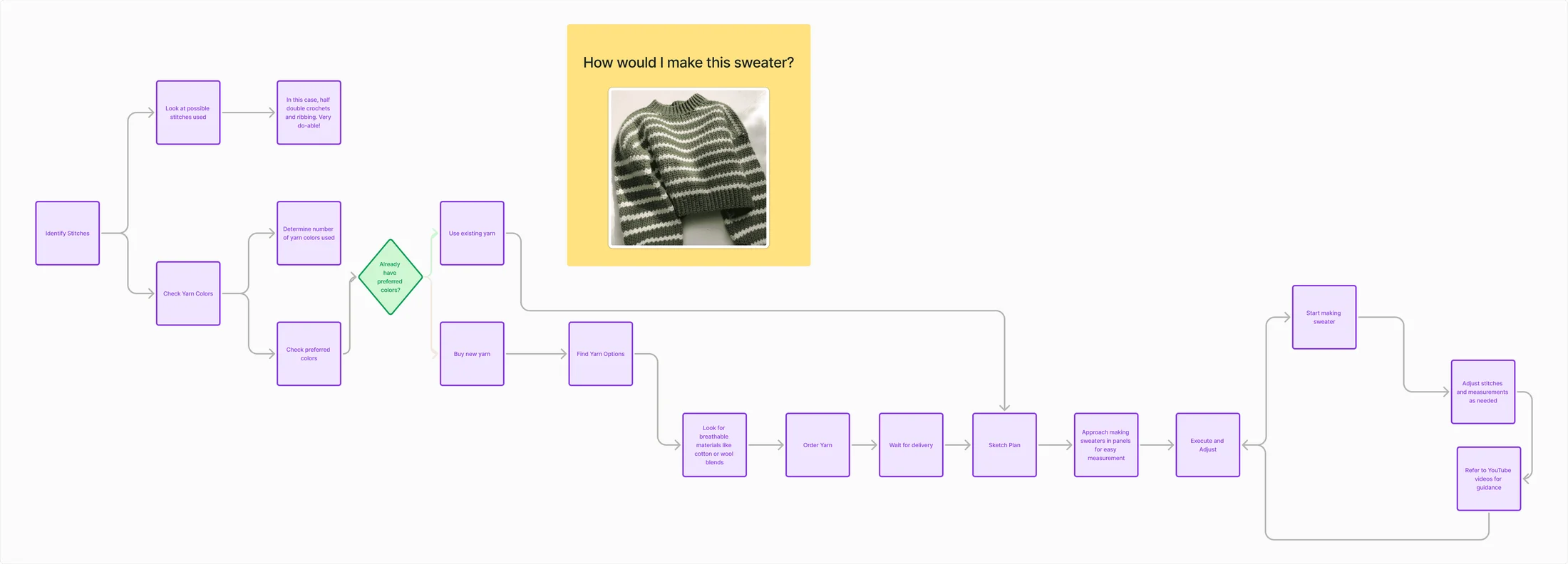
A participant’s process for recreating the sweater, mapped during the workshop.
Two responses stood out:
Getting started
One participant struggled at the first step, describing how specific her material searches needed to be. This reinforced the need for the Material Identifier.
Documenting the process
Another mapped the entire making process but lacked an easy way to document and eventually sell her work. This informed the Pattern Writing Tool.
The workshop helped identify where both features could fit into a larger crafting experience.
Iterations
Think-aloud testing revealed what both tools were missing.
Several rounds of usability testing helped refine the features shown earlier.
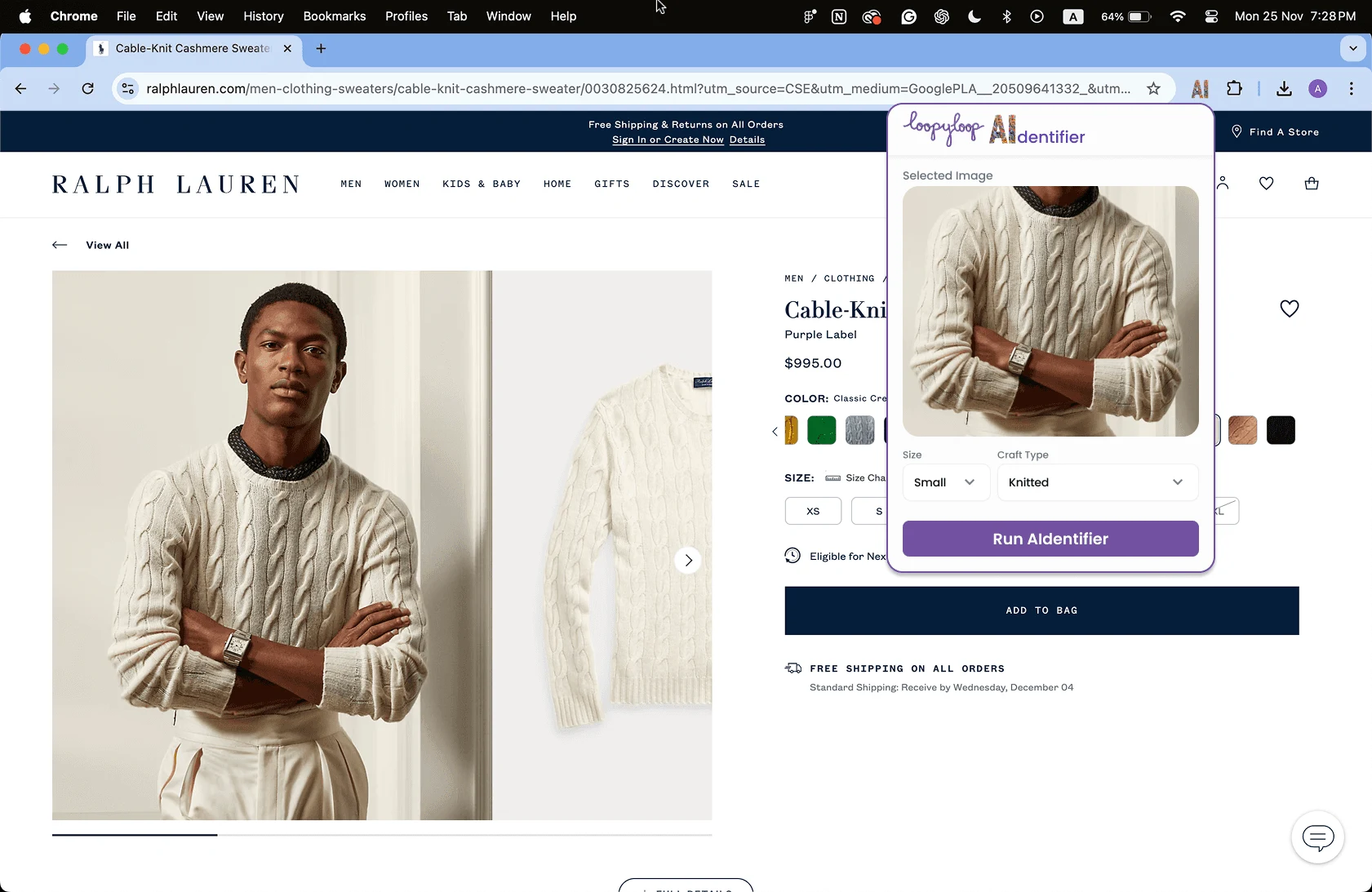
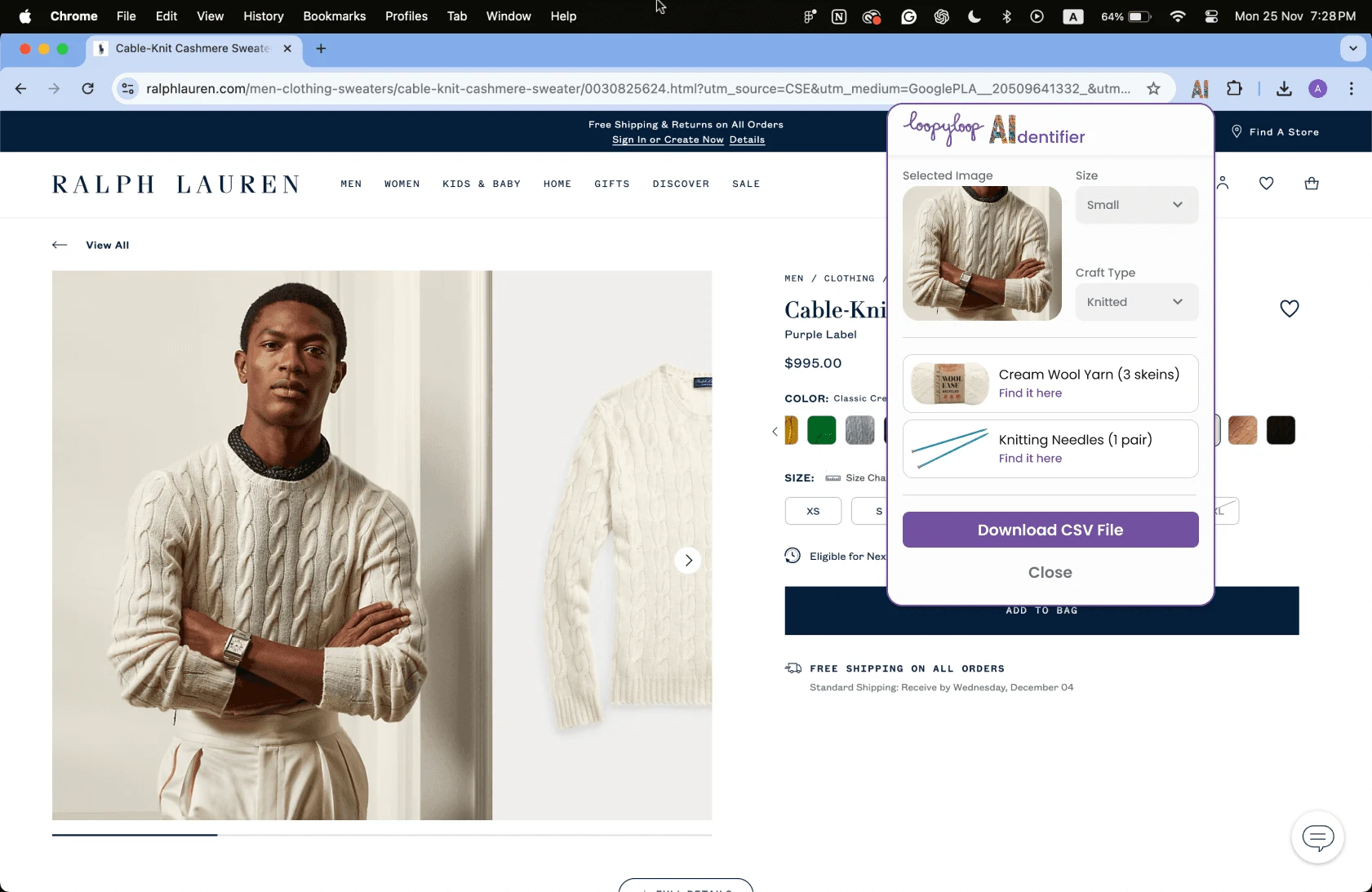
Nowhere to save the results
Testers liked the Material Identifier but had no way to keep the lists it generated.
What changed: A Download CSV option was added, allowing users to save their materials lists.
Drag the handle left to see the Before screen, or right to explore the After screen.
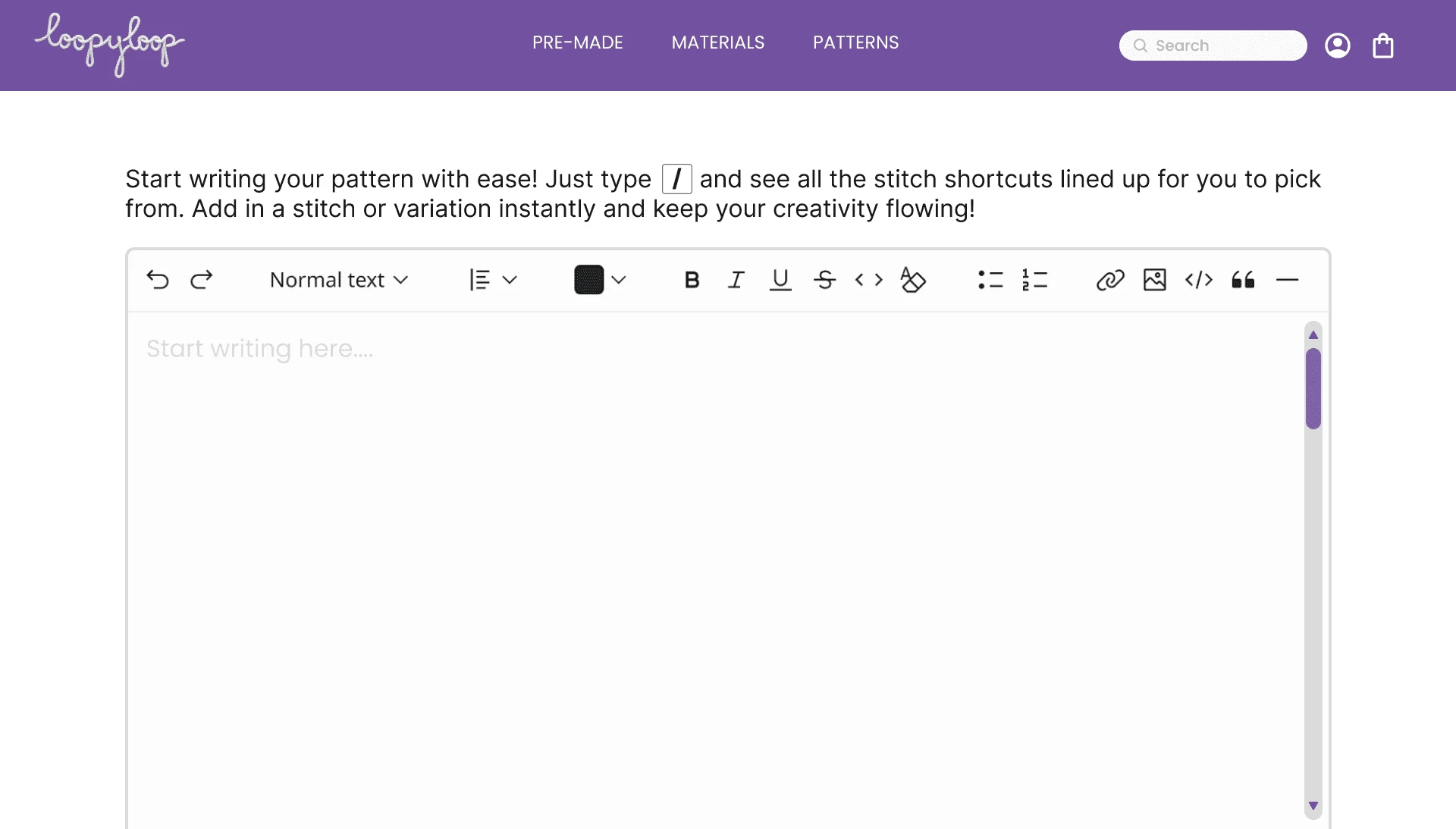
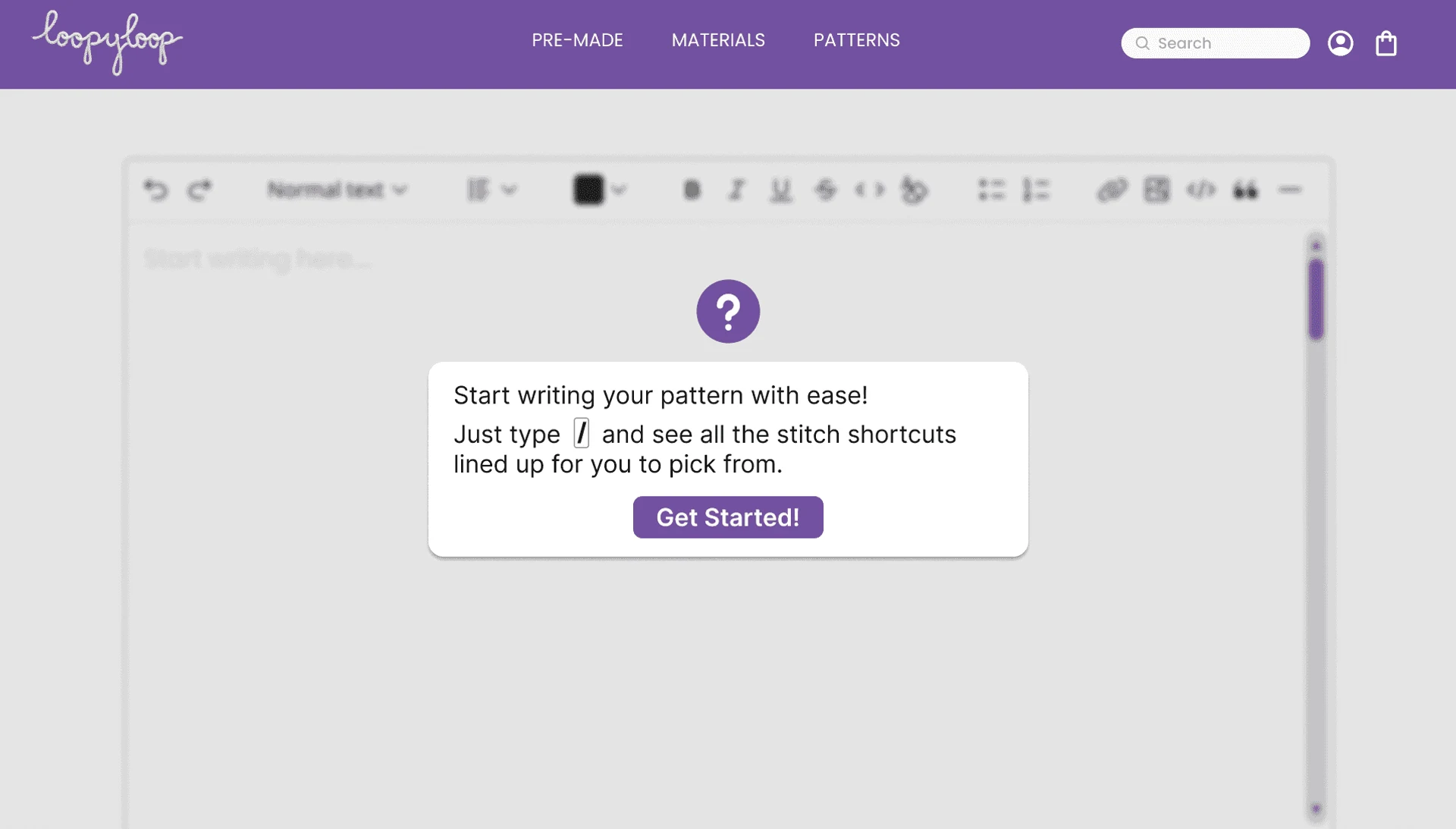
The blank-page problem
The Pattern Writing Tool initially left testers unsure where to begin or how to use its shortcuts.
What changed: A Help toggle and clearer onboarding made the editor easier to navigate.
Drag the handle left to see the Before screen, or right to explore the After screen.
Reflections
On designing from personal experience
Being a crocheter helped me articulate the problem, but it also came with assumptions. Research and participatory workshops helped validate the frustrations I’d observed and learn about experiences beyond my own.
On balancing utility and delight
It’s tempting to keep adding tools and automating every step. But the messy parts of making are often part of the joy; it’s the logistics that get in the way. LoopyLoop taught me to focus on easing those frustrations without taking away from the craft itself. I’d love to keep working on projects that explore this balance.
If I revisited LoopyLoop today...
I’d consider modernizing an existing platform like Ravelry instead of building from scratch. Its patterns, data, and established community offer a valuable foundation worth preserving.